Key takeaways
- Direct Lake on OneLake arrived: A new flavour that queries OneLake directly instead of through the SQL endpoint, with OneLake Security, more data sources, and calculated tables.
- Composite Direct Lake + Import models: Mix storage modes in one model, keeping smaller dimension tables in Import to avoid Direct Lake limitations.
- More data sources supported: Direct Lake now works with Fabric SQL and Mirrored Databases, bringing in sources like PostgreSQL, Azure SQL, Snowflake, and Databricks.
- Tabular Editor 3 supports it all: The Import Table Wizard lets you choose storage modes, and Workspace Mode keeps source control and live data together.
This summary is produced by the author, and not by AI.
Numerous additions to Microsoft's Direct Lake models have been made in the past half-year, so sometimes it can be hard to get an overview of what has actually been added recently. This is what we are doing in this blog post. We will review the news and check in on how these additions to Direct Lake are handled in Tabular Editor 3.
Direct Lake on OneLake
The first improvement of the year came in March with a whole new flavor of Direct Lake models: Direct Lake on OneLake. This flavor queries your OneLake directly without going through the SQL Endpoint, as the original flavor of Direct Lake does (Direct Lake on SQL).
There are several benefits to choosing Direct Lake on OneLake for a Direct Lake model, such as direct adherence to any OneLake Security setup, a wider array of data sources, and the ability to use calculated tables in your model. For a detailed comparison of the two storage modes, please refer to Microsoft's documentation.
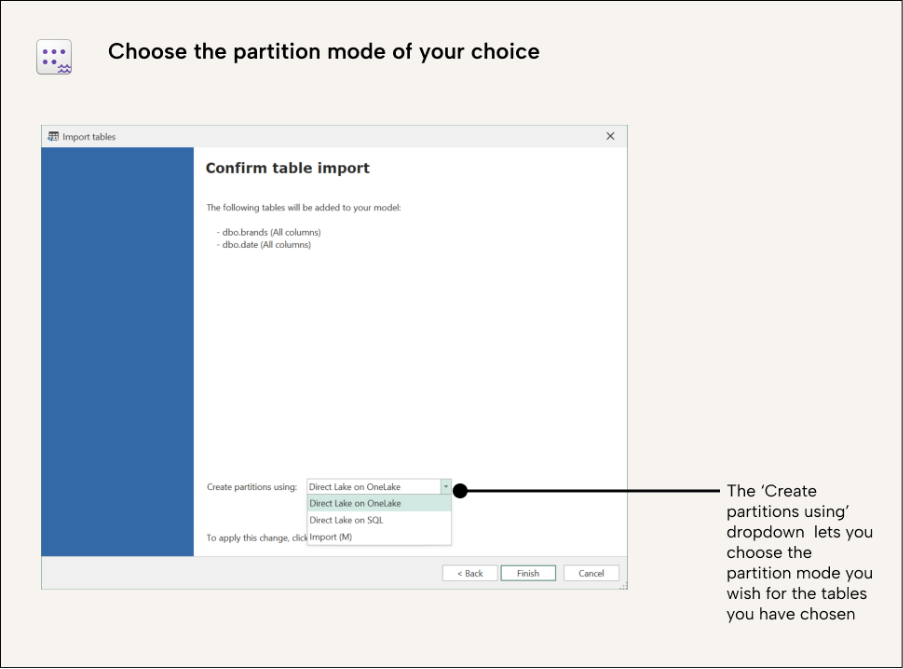
Tabular Editor 3 supports the creation of tables in Direct Lake mode through our Import Table Wizard. After selecting your Direct Lake supported data source (more on that later) and selecting your data tables, you will be asked which storage mode you wish to use for your partitions. Here, you have the option to choose Direct Lake on OneLake:
Direct Lake, source control, and workspace mode
Tabular Editor's Save to Folder capability writes the model metadata to your local disk for source control. What makes Tabular Editor better is that it allows you to be connected to both your locally stored metadata (preferably in source control) and your live model simultaneously, in what we call Workspace Mode. The workspace mode documentation has the full workflow. The main advantage is that you can develop your model in source control while having access to the data in your model, so you can inspect data, refresh the tables, and create, test, and debug measures with your actual data, all without leaving Tabular Editor.
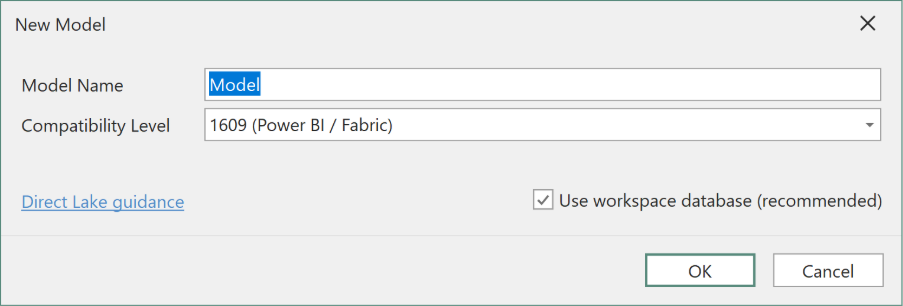
When you create a new model, workspace mode is selected. When selected, it prompts you for a place to deploy your live model.
TIP
Each developer should use their own personal workspace database. This ensures that when they live-edit a model in workspace mode, their saved changes don’t overwrite another developer’s work.
After creating your Direct Lake model (or any semantic model), hit save in Tabular Editor to save your changes to both your locally stored model and your live model. After finishing your development task, you can commit and push changes to source control and pull request the changes for deployment.
Composite Direct Lake on OneLake models
In May 2025, Microsoft announced another advantage of Direct Lake on OneLake models: that you can create a composite of both import tables and Direct Lake on OneLake tables.
In the same model, you can “mix and match” storage modes to suit your scenario and business requirements. Having smaller tables (such as dimension tables) in Import mode avoids the limitations of Direct Lake, such that you can still create custom hierarchies and calculated columns. Make sure to read the official considerations and limitations to understand what other limitations exist for tables in Direct Lake mode.
Tabular Editor gives you full flexibility to import tables using different storage modes, or even change the storage mode after a table was imported to the model. You can even use C# scripts to convert between different storage modes, which may be more convenient in some scenarios. The conversion script documentation shows one example.
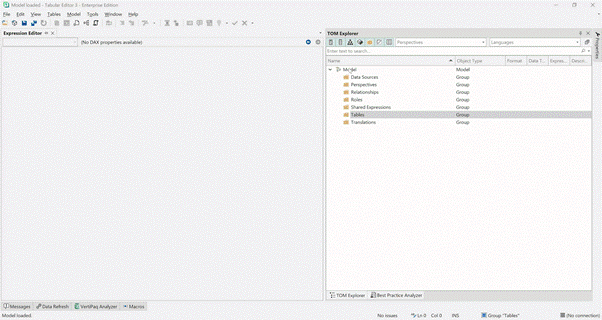
In the following example, we show how it is possible to set different storage modes for your tables using the Import Table wizard:
SQL and mirrored databases with Direct Lake
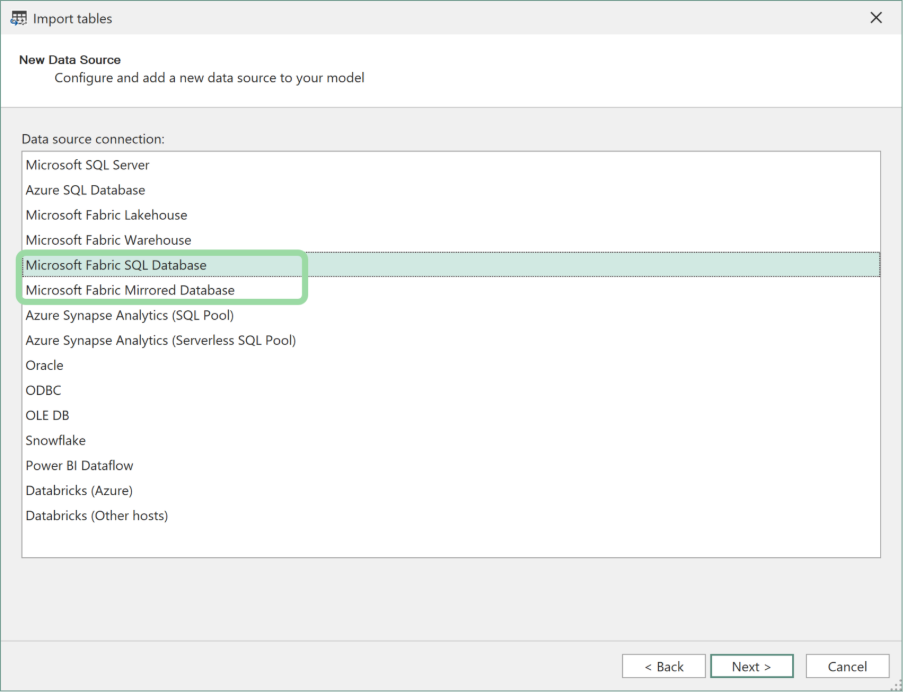
The newest addition to the Direct Lake feature in Microsoft Fabric is that it supports not only Lakehouses and Warehouses but also Fabric SQL and Mirrored Databases. This vastly expands the number of data sources that Direct Lake models support, as mirroring in Fabric allows you to bring in data from many other databases, such as PostgreSQL, Azure SQL Databases, Snowflake, Databricks, etc.
Starting from version 3.23.0, Tabular Editor includes Fabric SQL Databases and Mirrored Databases as a source in the table import wizard, making it very convenient to set up Direct Lake models using these sources.
For further reading
- Fabric Direct Lake with Tabular Editor -- Part 2: Creation (Tabular Editor). A step-by-step guide to creating Direct Lake models in Tabular Editor, complementing this article's coverage of what changed in the OneLake and composite model updates.
- Direct Lake Datasets: How to use them with Tabular Editor (Tabular Editor). Part 1 of the Direct Lake series, providing foundational context for the partition types and fallback behavior discussed here.
- Storage mode reference (Microsoft Learn). Microsoft's reference for Direct Lake, including the OneLake-based framing and SQL analytics endpoint integration described in this update.
- Mirroring overview (Microsoft Learn). Background on the Mirrored Database sources that can now back Direct Lake models, explaining how near-real-time replication feeds into the Direct Lake storage layer.
In conclusion
Microsoft is hard at work improving Direct Lake, and the inclusion of Direct Lake on OneLake is a real advancement in capabilities. Once in production, this will most likely be the preferred format for any Direct Lake model.
Does that mean that we’ll only use Direct Lake models? By no means, Import and DirectQuery still have many great and valuable use cases and will continue to be the backbone of semantic models in Power BI and Fabric.
Review Direct Lake models in Tabular Editor as Fabric capabilities evolve.
Give Tabular Editor a spin