Key takeaways
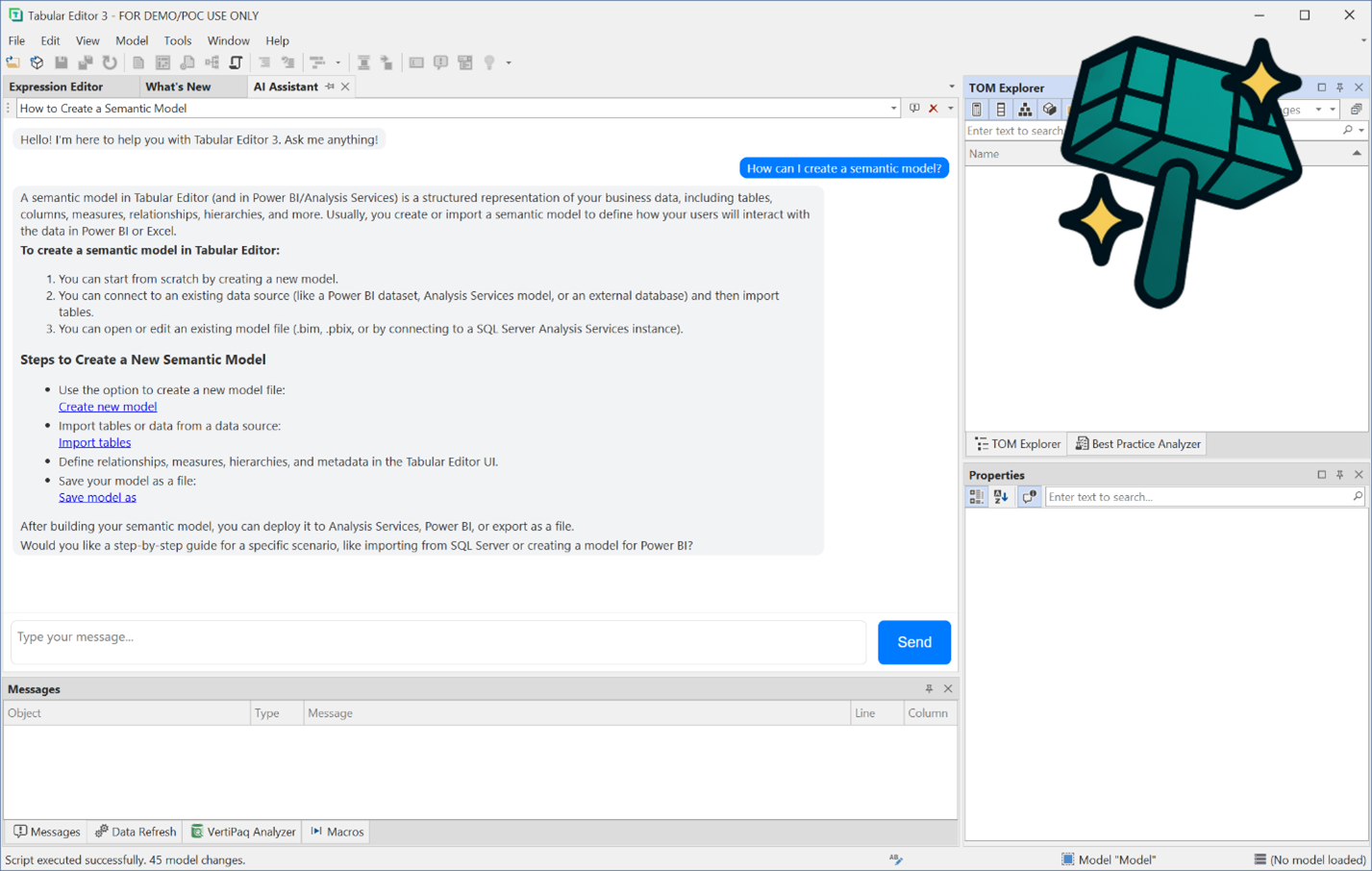
- An AI assistant is coming to Tabular Editor 3: A context-aware assistant that can interact with your semantic model and run C# scripts on your behalf.
- C# scripting makes it safe: The assistant works through C# scripts with full undo support and can't modify your model any other way, so you keep full control.
- It helps across many tasks: Guidance, DAX suggestions, error analysis, and creating Best Practice Rules and reusable macros, with MCP client support planned.
- Bring your own LLM: You choose the LLM provider, so data processing stays between you and your provider, and the assistant stays out of your way if you don't use it.
Artificial Intelligence is changing how we work – and soon, it will change the way you use Tabular Editor 3.
We’re excited to share that an AI-powered assistant will soon be available directly inside Tabular Editor 3! This isn’t just another chatbot – it’s a context-aware assistant that can interact with your semantic model and execute C# scripts on your behalf, helping you model faster and smarter.

Why we’re building this
Our CTO, Daniel Otykier (aka Mr. Grumpy Old Man 👴), has long been skeptical about the real-world value of AI in semantic model development.
But Tabular Editor has a unique advantage: C# scripting.
LLMs excel at generating C# code, and in Tabular Editor, scripts can modify every aspect of a semantic model – with full undo support (Ctrl+Z) if things don’t go as planned. Moreover, the LLM will not be able to modify your semantic model metadata in any other way, so you will always have complete control and transparency of the intended modifications. This combination opens the door for a seamless and safe AI experience.
What the AI Assistant will do
The assistant won’t just write scripts – it will support you across many tasks, such as:
- Guidance and instructions for semantic model development, pointing you to relevant UI elements or features.
- DAX code suggestions that can answer complex business questions based on your current model.
- Error and warning analysis, helping you troubleshoot issues quickly.
- Creating Best Practice Rules and reusable C# script macros.
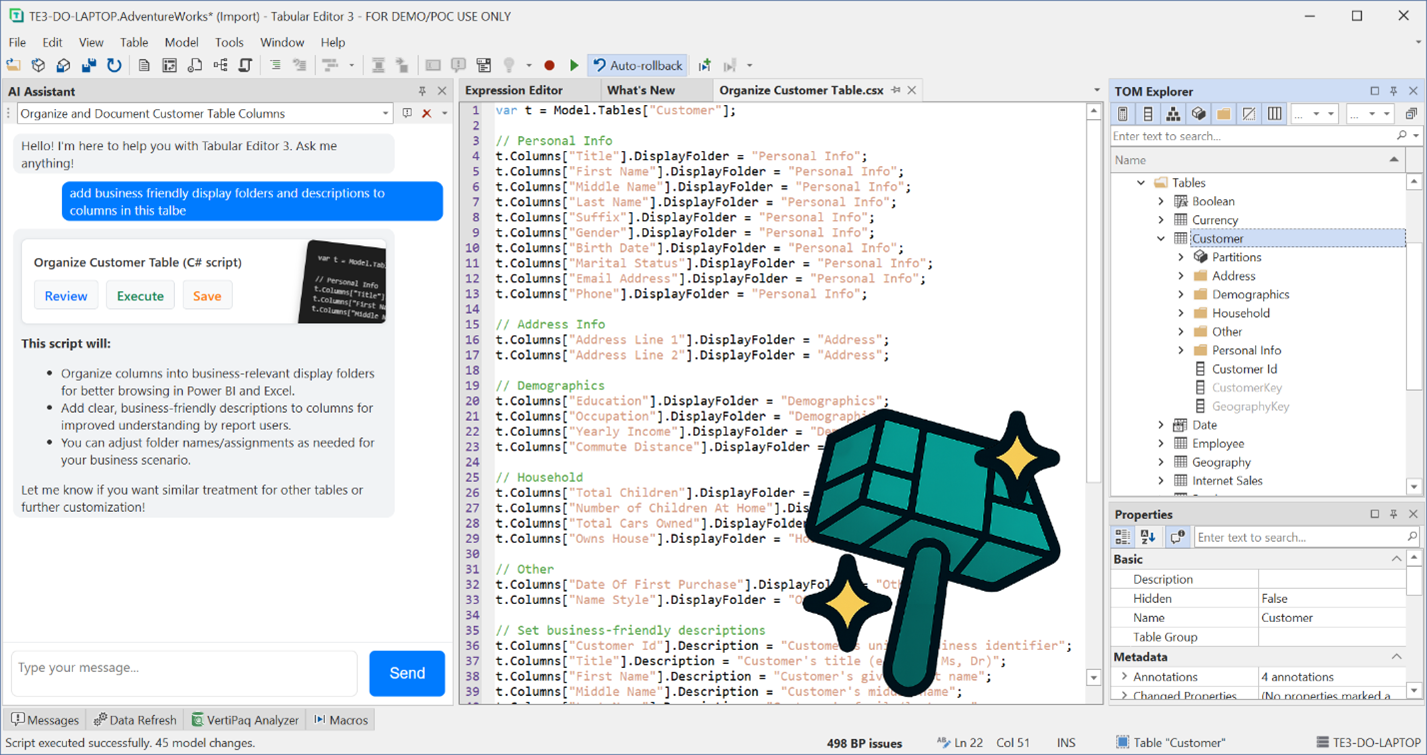
We’re also planning to turn the assistant into an MCP client, enabling it to connect with your own external AI tools and interact with services outside of Tabular Editor.

Last but not least, we’re designing the assistant to be as little intrusive as possible. If you don’t want to use it, we promise you that it won’t bother you (Mr. Grumpy wouldn’t allow us to ship the feature otherwise).
Privacy comes first
We know that trust is critical when working with sensitive models and data. That’s why this feature is being built as a “bring-your-own-LLM” assistant. You decide which LLM provider to use, ensuring that all data processing stays between you and your chosen provider.
What’s next?
The AI assistant is still in development, but we couldn’t wait to share the news. Over the coming weeks, we’ll provide more details about how it works, how to configure it, and what it can do to supercharge your modeling workflow.
Stay tuned – this is just the beginning of a new era for Tabular Editor 3!
For further reading
- AI in Tabular Editor 3 -- Full control for your organization (tabulareditor.com). The follow-up announcement covering how organizations can control, disable, or restrict the AI features teased here.
- How Tabular Editor supports agentic development for semantic models (tabulareditor.com). Explains the broader agentic development direction that the AI Assistant fits into, including the CLI and AI provider integration.
- Tabular Model Definition Language (TMDL) (Microsoft Learn). The file format that C# scripts modify when working on semantic models, giving background on what the AI Assistant operates on when it generates and runs scripts.
In conclusion
An AI assistant inside Tabular Editor 3 is on its way, and it's being built the way Tabular Editor users would want: safe, transparent, and optional. Because it works through C# scripts with full undo support and a bring-your-own-LLM model, you keep complete control over your data and your model. This is just the start; we'll share more over the coming weeks about how to configure it and what it can do.
Take your semantic models further with Tabular Editor.
Give Tabular Editor a spinThe author of this article used AI assistance in the writing for accessibility reasons. The article has been edited and reviewed manually by our editors before publication.