Key takeaways
- Tabular Editor 3 now has a Metadata Translation Editor: Add your cultures, then edit names, descriptions, and display folders for every language side-by-side in one window.
- TE3 now reads and writes TMDL: With important TMDL known issues fixed, you can save to and load models from the YAML-like format from this version on.
- Keep a metadata backup: Keep a
Model.bimorDatabase.jsonbackup before testing TMDL workflows.
This summary is produced by the author, and not by AI.
Introduction
Another month – another Tabular Editor 3 release, this time the May 2023 version (3.7.0).
We hope you like this release.
Bug reports and feature requests coming from all of you really help, so we wanted to extend a thank you for these.
Go to downloads.
New features
This release leads with a new Metadata Translations Editor.
Introducing the new Metadata Translations Editor
New in this release is the Metadata Translation Editor, which enables you to easily handle all aspects of localization in a single tool window.
To use it, add one or more translations to your model;
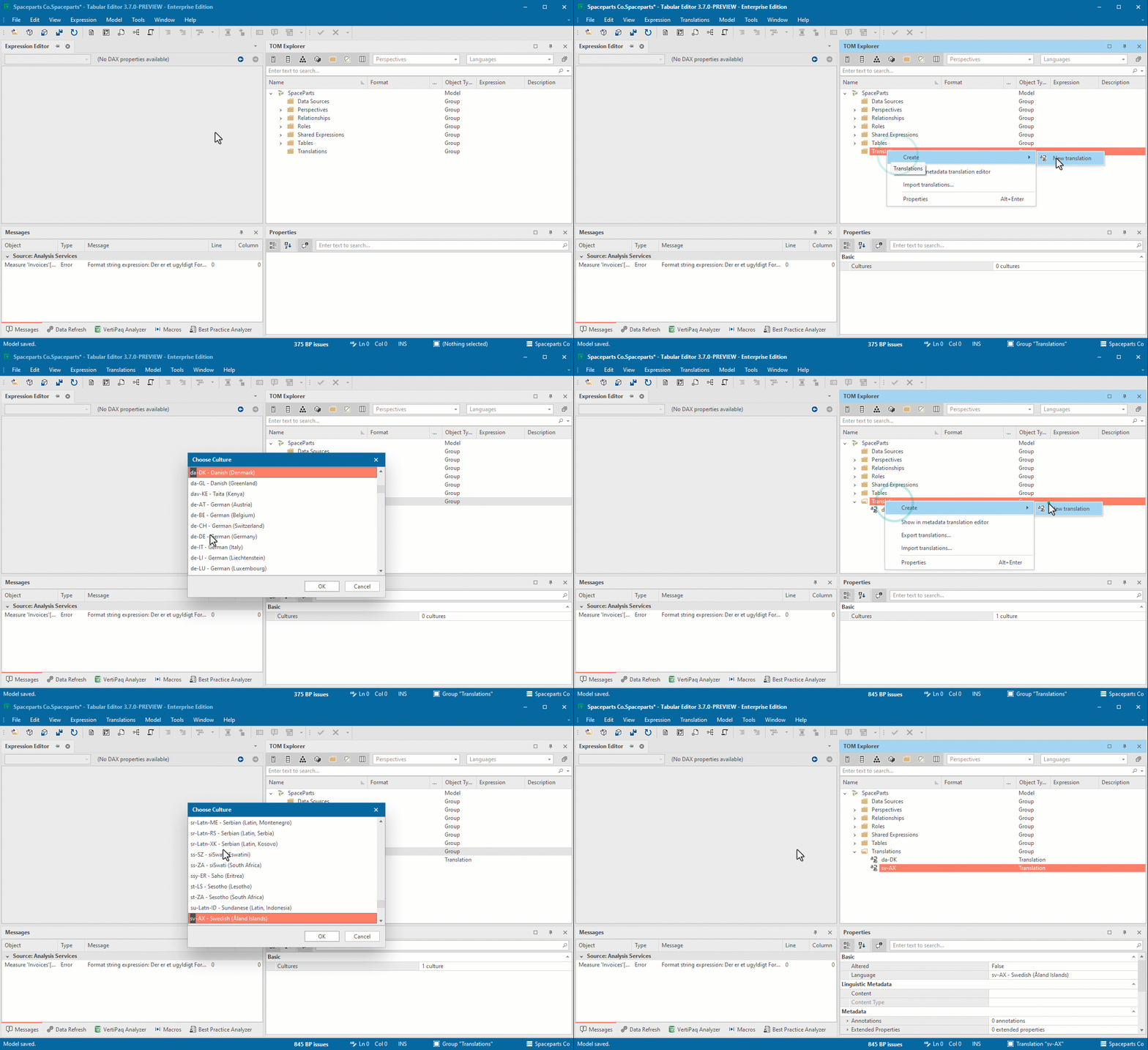
You can then highlight the desired translations (Ctrl+click/Shift+click for more than one) and open the Metadata Translation Editor through the right-click context menu. The changes are immediately available on the translated objects:
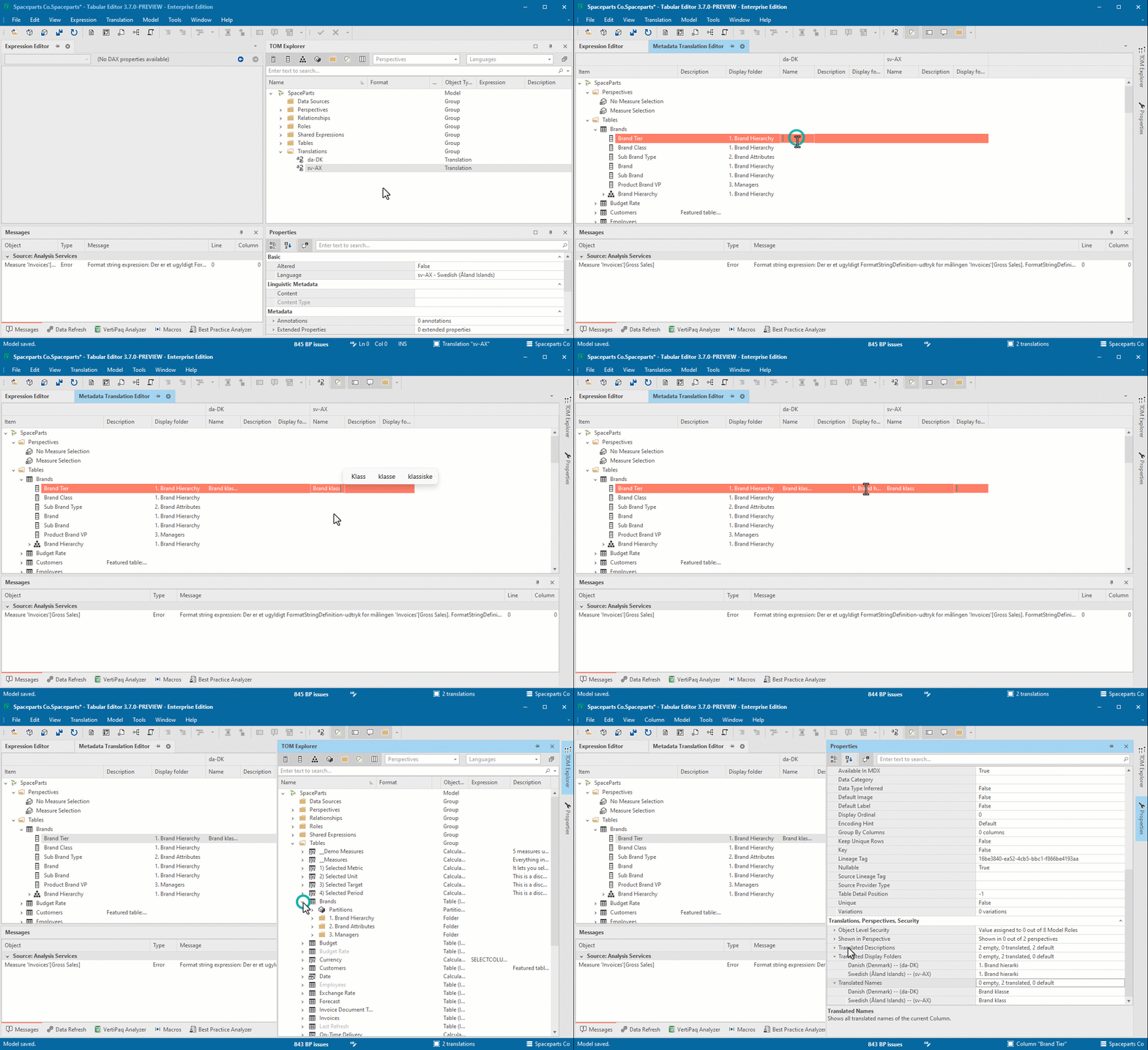
The metadata translations editor allows you to view multiple languages side-by-side. Use the buttons on the toolbar if you want to toggle specific object properties (Names, Descriptions, Display Folders).
Adding support for Tabular Model Definition Language (TMDL)
As mentioned in last month's release blog, TMDL is a new format for serialization of a data model, that resembles YAML.
You can read all about it in the official Microsoft documentation or see the big announcement of TMDL from SQLBits earlier this year by Mathias Thierbach & Gabi Münster (watch it here).
The TMDL library was recently updated with a lot of fixes to known issues, and we are therefore happy to announce that Tabular Editor 3 from this version and onwards has support for saving to and loading your models from TMDL:
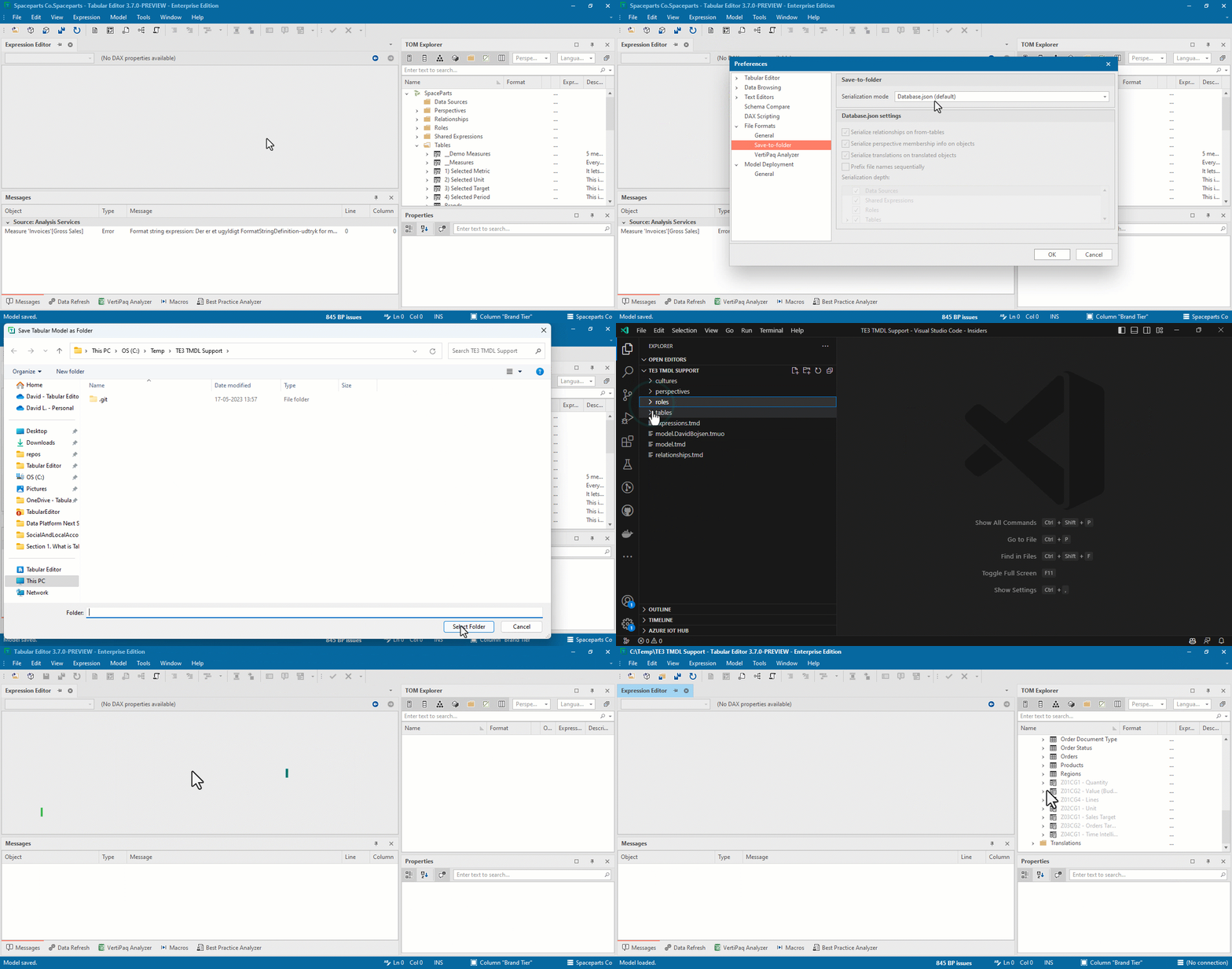
NOTE
Make sure to keep a Model.bim / Database.json backup of your model metadata to avoid losing work.
Bug fixes
We have made multiple bug fixes and minor improvements in 3.7.0; please see our release notes for full details.
If you have any feedback or experience any bugs please reach out in our community forum. We look forward to hearing from you!
For further reading
- The Metadata Translation Editor (Tabular Editor). Documentation for the Metadata Translation Editor, covering the full names, descriptions, and folders workflow added in this release.
- Tabular Model Definition Language (TMDL) (Microsoft Learn). Microsoft's overview of the TMDL format that this release adds save and load support for.
- Five ways that the TMDL view can help you be more productive (Tabular Editor). Covers practical uses of the TMDL view in day-to-day modelling.
In conclusion
That's the May 2023 release: the new Metadata Translation Editor to make localization a lot less painful, plus TMDL save/load now stable enough to test (keep a backup, though). Grab 3.7.0, and as always, let us know what you think.
Try the May release features in the current Tabular Editor 3 workflow.
Give Tabular Editor a spin