Key takeaways
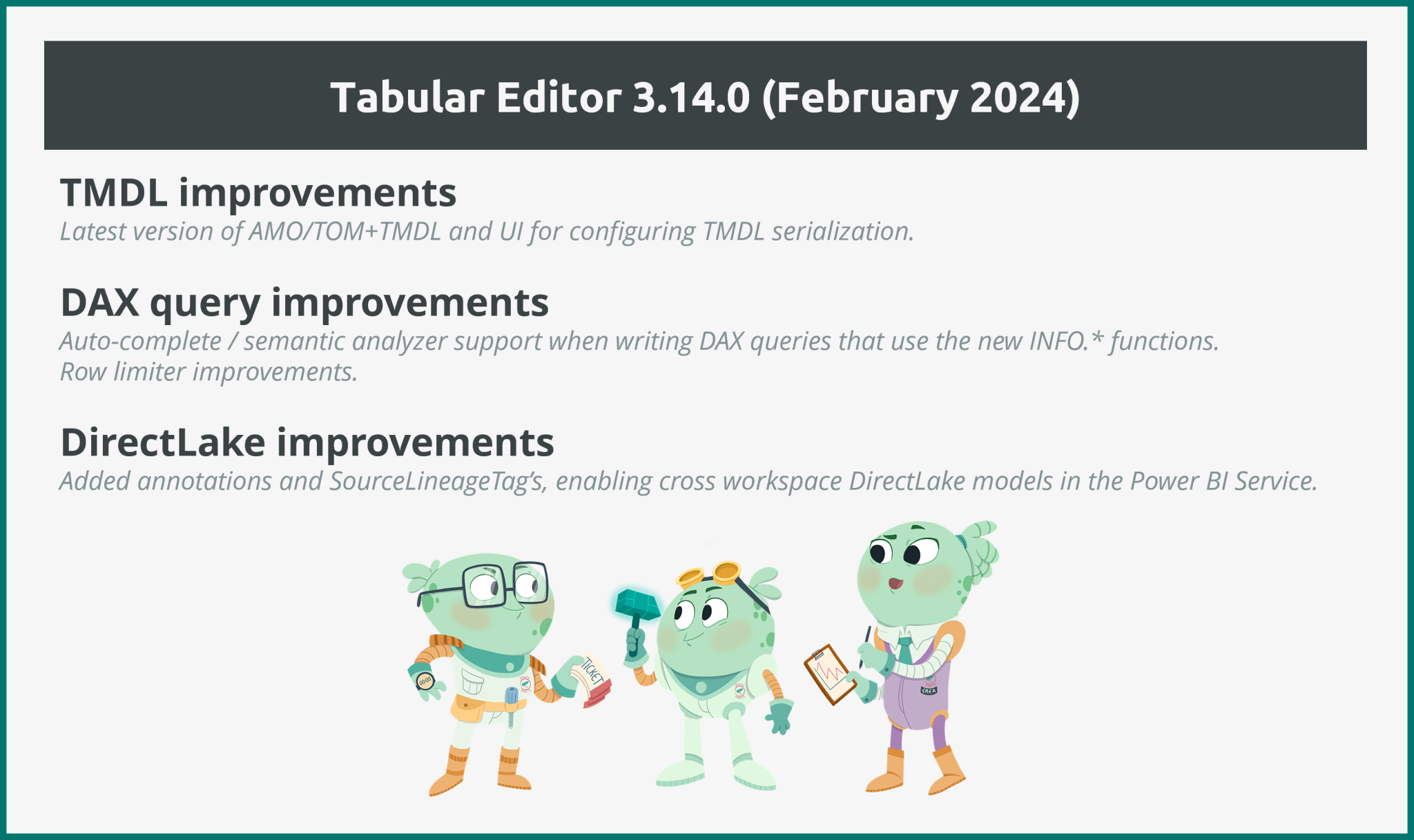
- Tabular Editor 3.14.0 picks up the latest AMO/TOM and TMDL features: The new library adds configurable TMDL serialization and support for higher semantic-model compatibility levels.
- DAX authoring gains the INFO functions: Autocomplete and the semantic analyzer now recognize the new INFO.* functions; since they return tables, you can also use them inside a measure with CONCATENATEX or COUNTROWS, which accept table arguments.
- The DAX query row limiter is smarter: It now steps aside automatically when a query already uses TOPN or START AT, so your custom sorting isn't disturbed.
- Direct Lake imports carry their lineage tags: Tabular Editor now sets
SourceLineageTagon imported tables and columns, which is what makes cross-workspace Direct Lake models work.
This summary is produced by the author, and not by AI.
Introduction
We are happy to announce that we have a new version of Tabular Editor 3 out. This is our first update in 2024. We hope you enjoy this release!
If you just can’t wait, do head on over to downloads to get the release.
Improvements
We’ve made several improvements in the February release and we are highlighting the most important ones below.
AMO/TOM updates
We are now using the latest version of AMO/TOM, which is version 19.76.0. Unfortunately, Microsoft doesn't provide release notes for these updates, but the general recommendation is to always use the latest version, to ensure the best experience for connectivity with SSAS, Azure AS and the Power BI XMLA endpoint. One important update that we are aware about, however, is that this version of AMO/TOM includes the latest TMDL features.
We also noticed that this version of AMO/TOM adds support for semantic models at Compatibility Level 1606 (previously, we only went up to 1604). Higher compatibility levels are often a hint that some new functionality is coming soon. Very exciting!
Improved TMDL support
The latest TMDL update in the AMO/TOM allows applications such as Tabular Editor to configure various details regarding TMDL serialization. A similar update had already been released for the legacy Tabular Editor 2 branch, and now we also have this update for Tabular Editor 3, where these configuration options are available under Tools > Preferences > Save-to-folder.
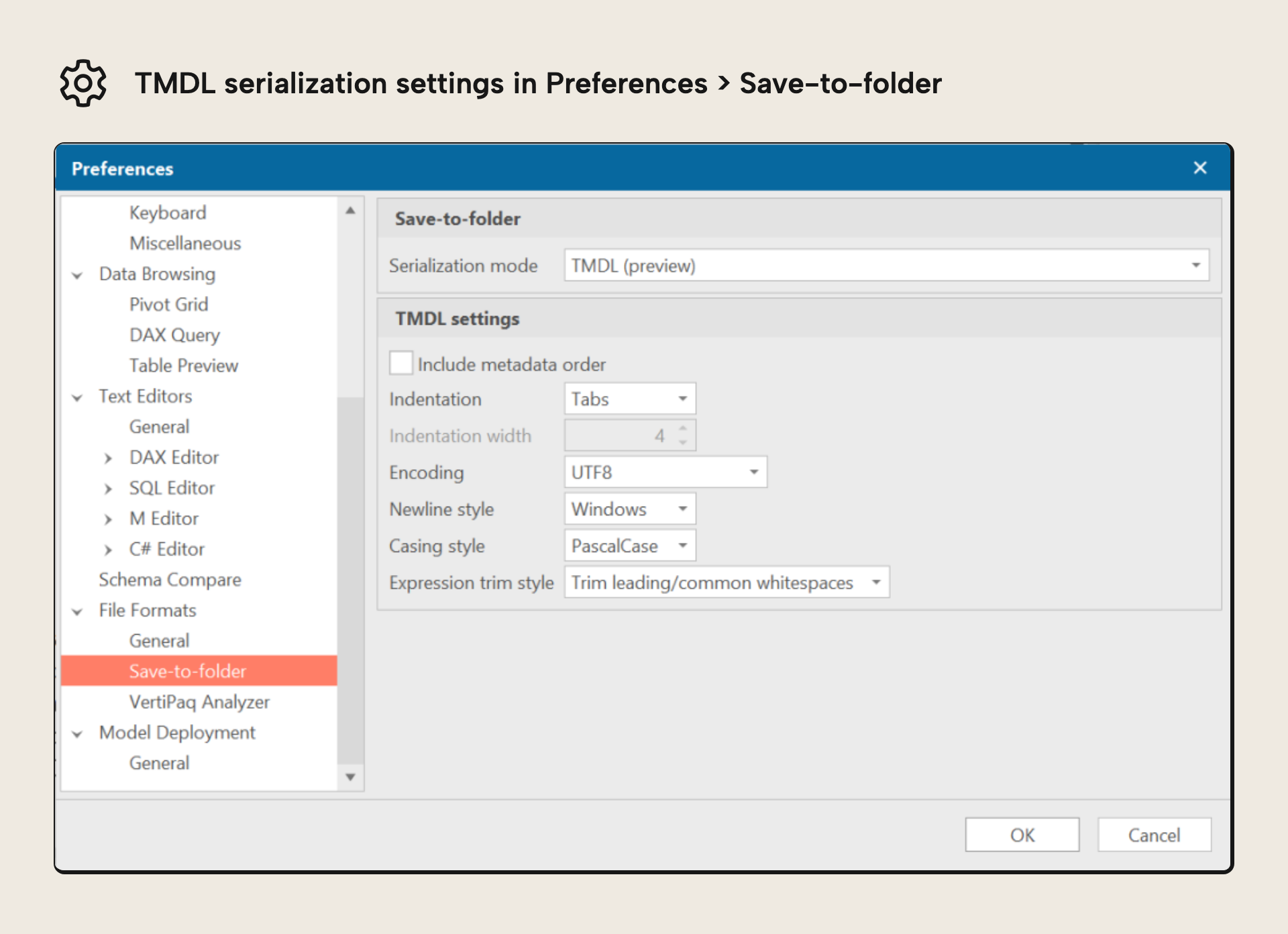
The default settings are our recommendation (which also happen to be aligned with the TMDL format used in the February 2024 update of Power BI Desktop), but in some cases you may want to tweak one or more of these options. A few people have asked if there is any possibility to specify which objects are serialized as individual files with TMDL. We’re still discussing internally how best to approach this request. Stay tuned!
NOTE
Current Microsoft Learn documentation describes TMDL as an object model definition syntax for tabular data models at compatibility level 1200 or higher.
DAX INFO.* functions
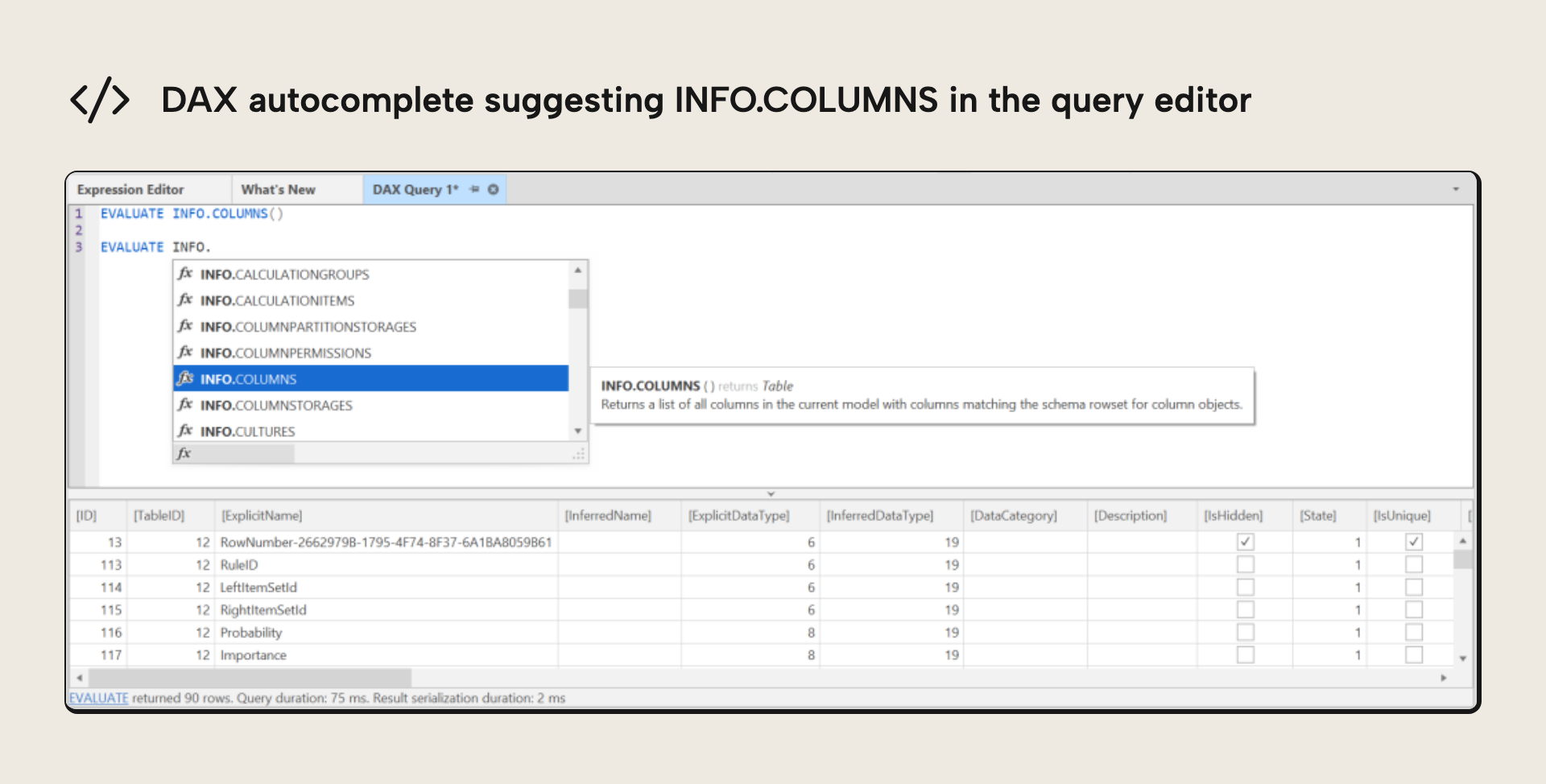
When writing a DAX query against a semantic model in Power BI Desktop or the Power BI service, our DAX autocomplete feature now also suggests the new INFO.* functions that were announced in December 2023. Moreover, our semantic analyzer will not falsely complain that you have syntax errors in your DAX query, if you use any of these functions. Lastly, we fixed a somewhat related issue where typing the . (dot) would close the autocomplete popup window.
NOTE
The INFO.* functions return tables, so they can't stand alone in a scalar measure. You can still use them inside measures or calculated tables, though, by using them in CONCATENATEX or COUNTROWS which accept table arguments.
DAX query row limiter improvements
When writing a DAX query, you may have noticed that Tabular Editor initially limits the number of rows returned to a maximum of 1000. This is to prevent accidental querying of very large volumes of data, which may cause a query to take a long time to complete, and also potentially cause out-of-memory issues on the local machine, as Tabular Editor needs to temporarily store the retrieved data in memory, to display the results in the DAX query grid.
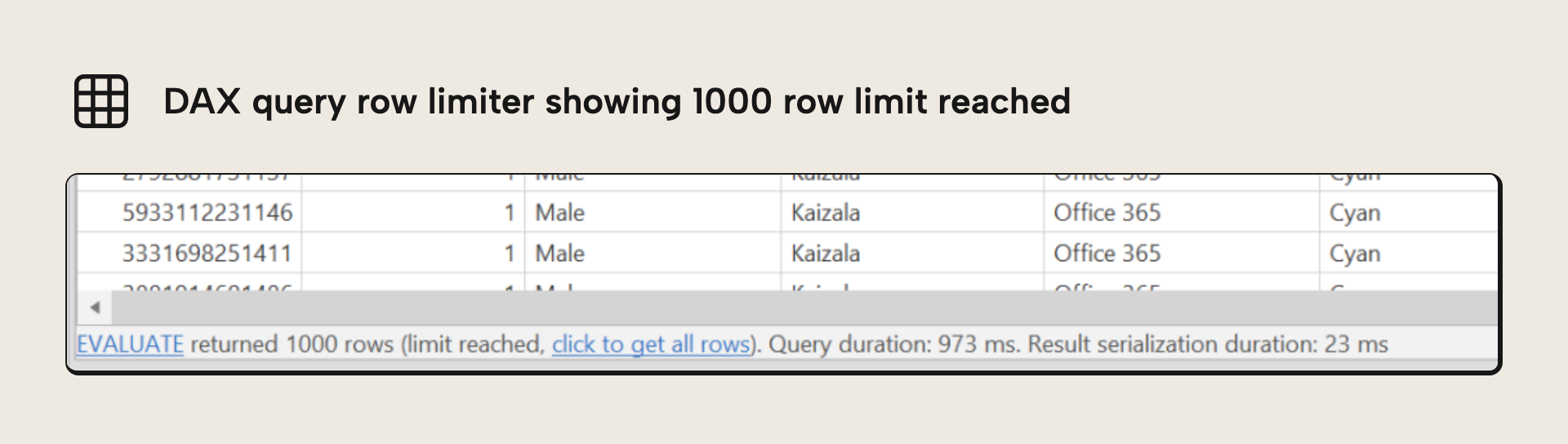
After the 1000 rows have been retrieved, the user has an option to retrieve the full set of rows by clicking on the status bar beneath the DAX query grid.
TIP
You can change how many rows DAX queries are limited to, by default, under Tools > Preferences > DAX Query. Set this value to 0 if you wish to disable the row limiter.
The row limiter works by essentially placing your original DAX query inside a suitable TOPN expression. However, when you copy a query from Power BI Desktop, or when you want to manually select a range of rows using TOPN, it is likely that you do not want the row limiter to interfere. This is especially apparent when custom sorting is being applied in the query. For this reason, we have decided to automatically disable the row limiter, when a query explicitly uses TOPN or START AT. This way, users need not be concerned about multiple nested TOPN statements in the final query.
On a related note, we also improved the DAX autocomplete feature, so that it assists you in entering any type of scalar expression within the ORDER BY clause of a query (whereas previously, it only suggested column references).
Direct Lake import improvements
This update also includes a small, but important, improvement to how we import tables on a Direct Lake model. It turns out that Power BI adds a special annotation and assigns the SourceLineageTag property on tables and columns, for those tables that were imported from OneLake. Tabular Editor now also adds these, which ensures that cross-workspace models can be created using Tabular Editor.
NOTE
There is a known issue currently, which requires you to explicitly refresh a Direct Lake model after you deploy it for the first time. Otherwise, queries against the model will fail. This is also discussed here.
Bug fixes and more
As usual, we have a long list of bug fixes and minor improvements in addition to the ones described above. Check out the release notes for a detailed overview of those.
We hope you enjoy this release, and as usual, do reach out if you have any questions, comments or concerns.
For further reading
- Direct Lake Datasets: How to use them with Tabular Editor (Tabular Editor). Covers Direct Lake mode in Fabric and how to work with it in Tabular Editor, background for the
SourceLineageTagimprovements in this release. - TMDL scripts, notebooks, and Tabular Editor: how does it all fit together? (Tabular Editor). Covers how TMDL, scripts, and notebooks fit together, for context on where the serialization options sit.
- Editor documentation (Tabular Editor docs). Documents the DAX query editor that contains the row limiter and autocomplete behavior described here.
- Tabular Model Definition Language (TMDL) (Microsoft Learn). Microsoft's reference for the Tabular Model Definition Language, the authoritative spec for the format these options control.
In conclusion
That’s the highlights of the February 2024 release: the latest AMO/TOM with richer TMDL serialization options, INFO.* function support in DAX authoring, a smarter query row limiter, and better Direct Lake imports, on top of the usual pile of bug fixes. Head over to the downloads page to grab 3.14.0, and do reach out if you have any questions or feedback.
Try TMDL and Direct Lake improvements in Tabular Editor 3.
Download the latest version