
Key takeaways
- UDFs improve DAX reusability: User-Defined Functions let you reuse expressions instead of rewriting them, keeping logic consistent and easier to maintain.
- DAX Lib is a valuable resource: DAX Lib is an open-source repository of model-independent UDFs that will grow more useful as more functions are added.
- The DAX Package Manager brings it in-tool: The DAX Package Manager in Tabular Editor 3 lets you load, remove, and update packages with a button, with private organizational libraries planned.
This summary is produced by the author, and not by AI.
User-defined functions for DAX
One of the best ways to write DAX is to first break down the logic required into components and look for a similar pattern for which someone else has already put in the effort of testing and documenting. In most cases, one or more combined DAX patterns do the trick without having to do much but change the copied expressions to fit your models and validate the results are as expected.
DAX has recently seen several significant updates:
- Visual-level calculations, which can simplify calculations by scoping them to single visuals instead of the entire semantic model, lowering the bar for deeper visual customization.
- Custom calendars and time intelligence, which allow flexible time-based analyses with any calendar.
- User-Defined Functions (UDFs) or DAX functions, which are a game-changer whether you're a DAX novice or ninja. Why? The power of functions.
Functions allow us to abstract away all sorts of complex logic and simply expose just the inputs that are relevant to achieve the desired output. With DAX functions, we can define those patterns as a function with parameters once and invoke them whenever we need with different arguments, instead of copy-pasting expressions full of business logic across models. We package complexity and re-use instead of rewriting it.
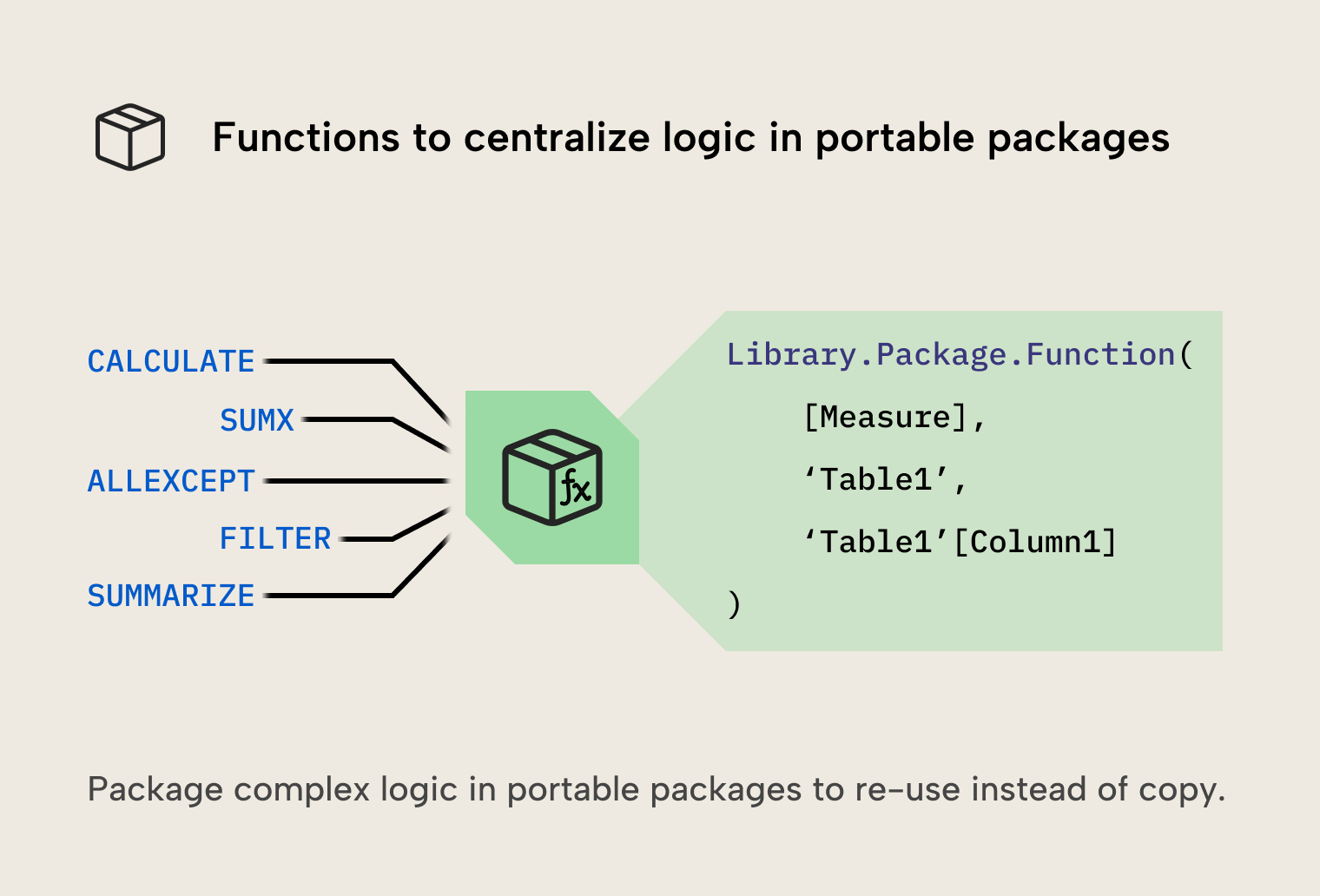
DAX Lib
DAX functions can be defined for a specific semantic model and only be usable within that model (these are model-dependent functions), or in common libraries that exist outside of the semantic model. Those functions are model-independent and can be used across different semantic models.
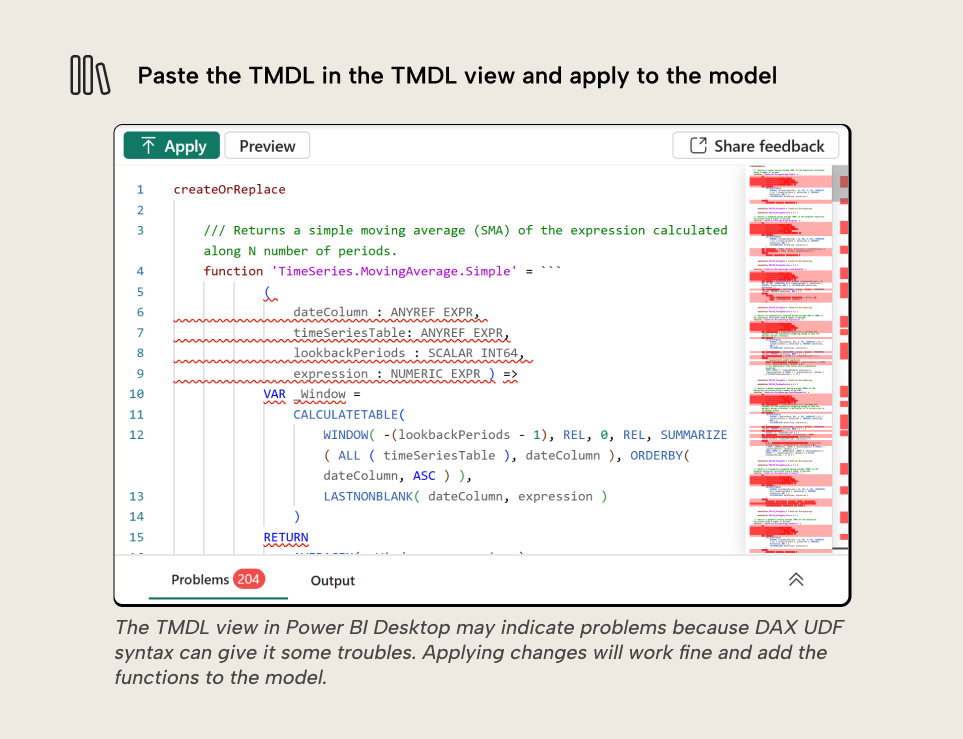
DAX Lib is an open-source library of model-independent DAX functions where you can search for keywords and find packages that contain functions you can load into your semantic model by copying them into the TMDL view of Power BI Desktop. However, this can be problematic for the following reasons:
- Large libraries have big scripts which are difficult to manage.
- Updates to the library require manually re-updating the script; this is prone to issues.
- The process can be tedious and doesn’t work for private libraries, for which you’d need to maintain your own private set of TMDL scripts. We discussed potential methods for private libraries in a previous article.
A moving average calculation, for example, becomes much simpler to implement with the DAX functions in the MovingAverage package of the TimeSeries library. DAX Lib lets us copy and paste packages and all functions within into the semantic model in Power BI Desktop.
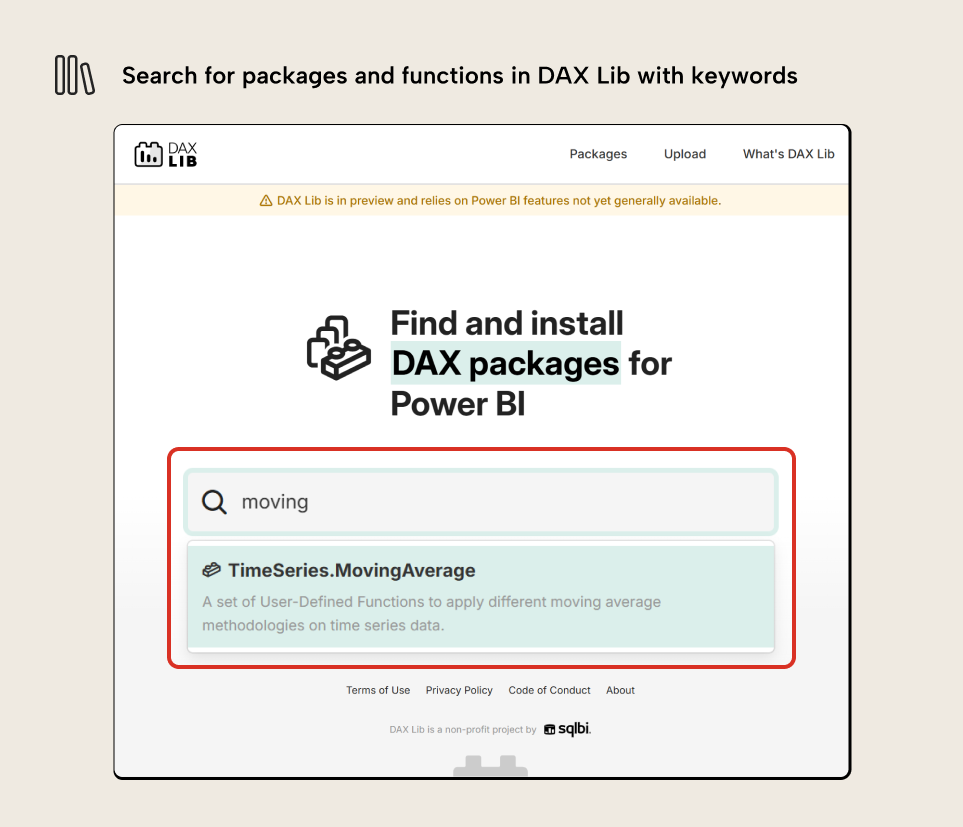
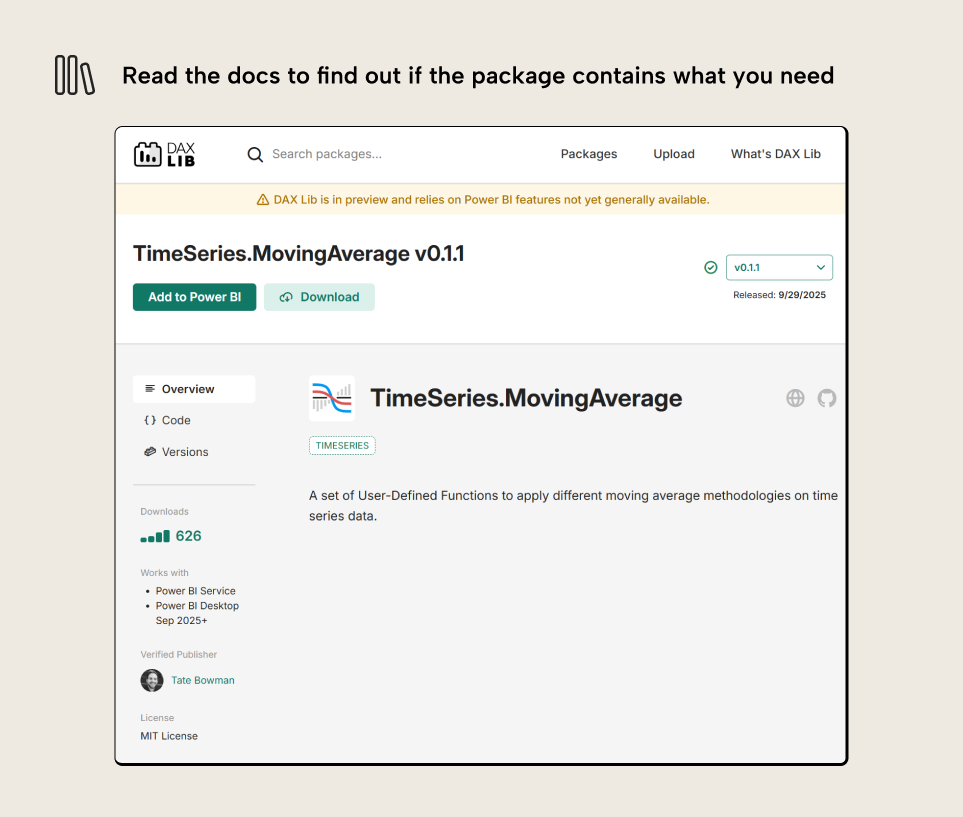
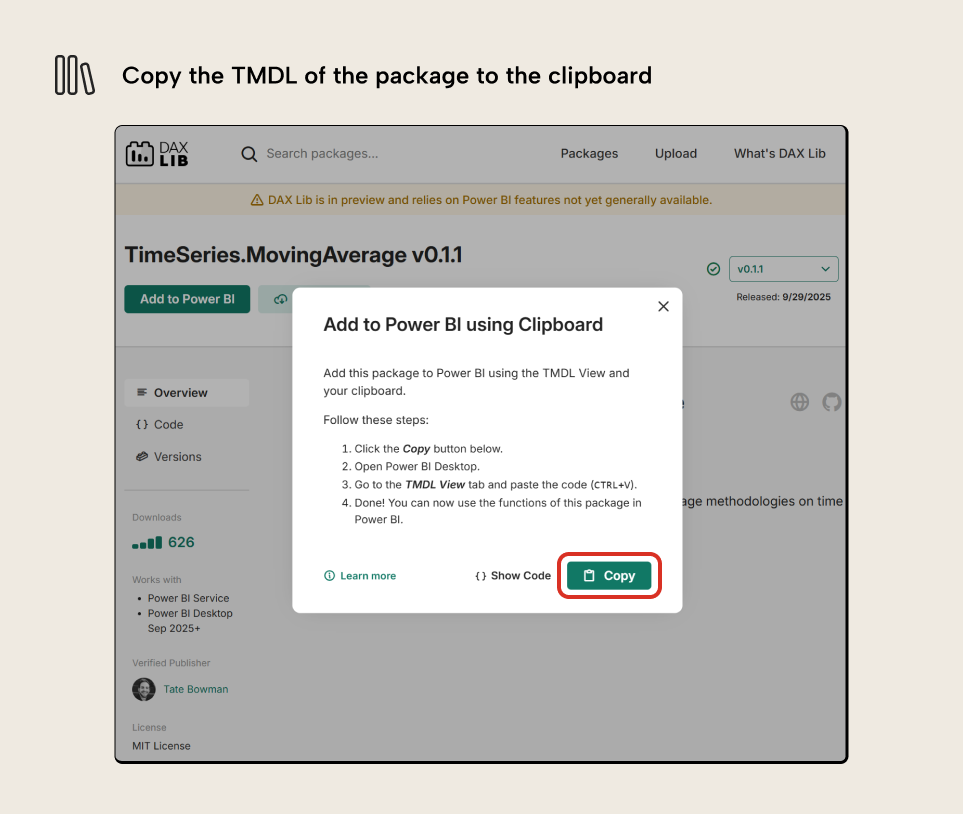
Introducing the DAX Package Manager in Tabular Editor 3
In Tabular Editor 3, we have the DAX Package Manager that puts the functions in DAX Lib at our fingertips. In a few clicks we can load, update, or remove a package from DAX Lib into our semantic model rather than copying, pasting, and replacing references in long DAX expressions.
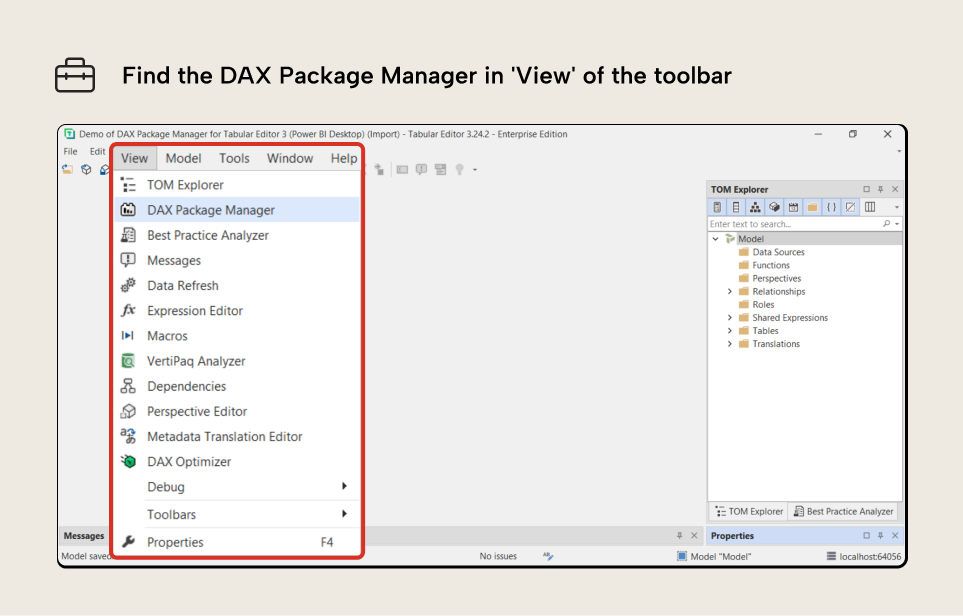
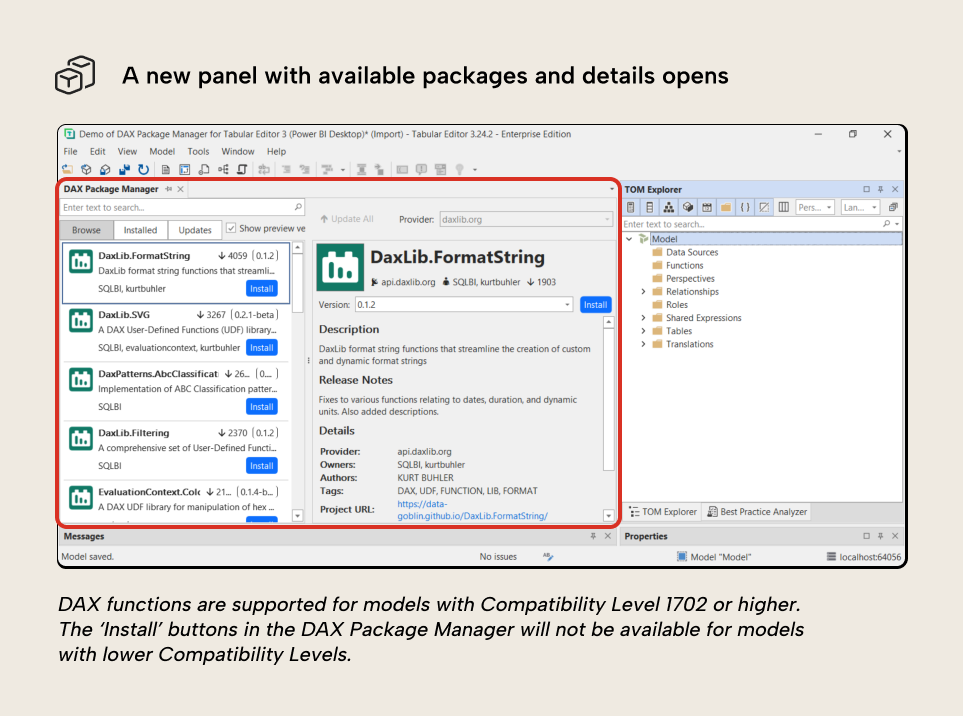
Here too, we can find the TimeSeries package hosted on DAX Lib. Installation is as easy as clicking the Install button, which will only show up if the model has Compatibility Level 1702 or higher. In the future, packages from private and organizational libraries will also be supported.
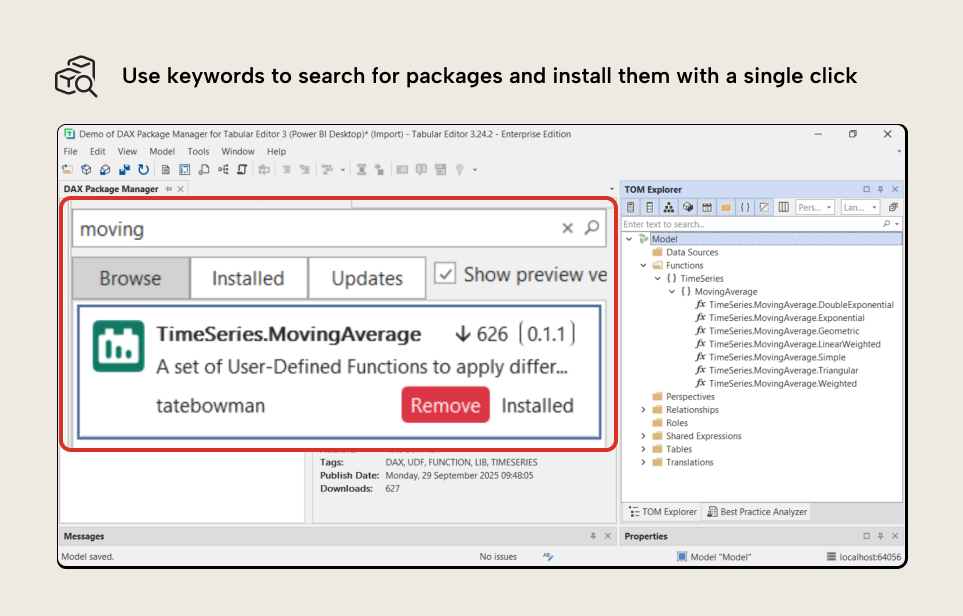
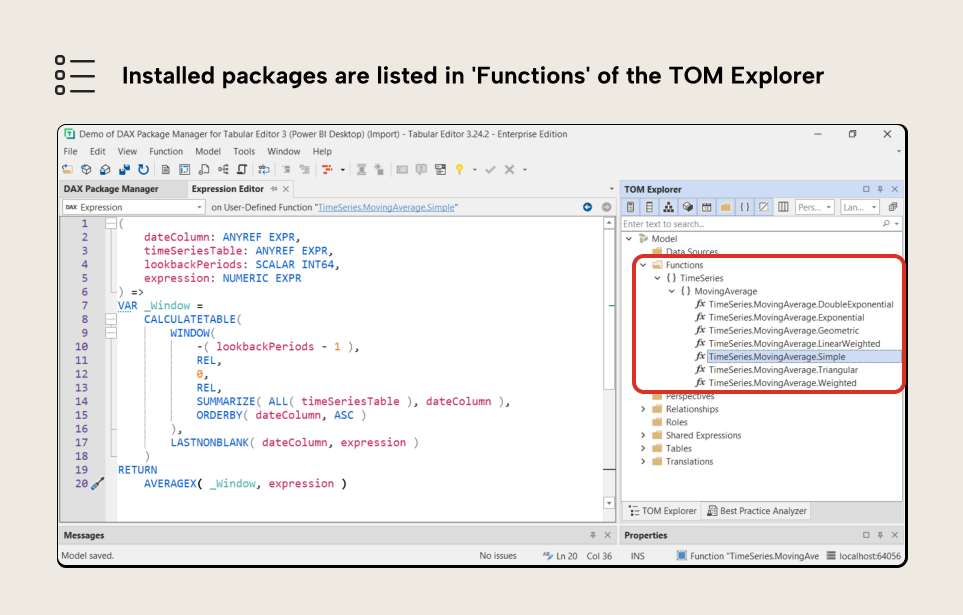
Once installed, the packages are listed in the Functions folder of the TOM Explorer and their expressions can be viewed in the Expression Editor.
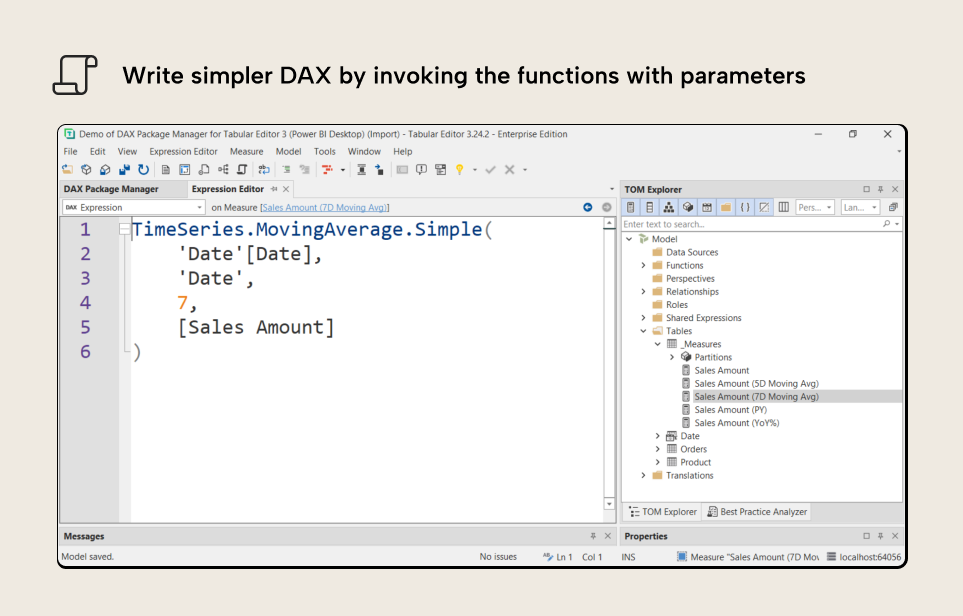
The DAX expression needed for the measure of a 7-day moving average of sales amount becomes simple: invoke the function and enter the required model objects as arguments.
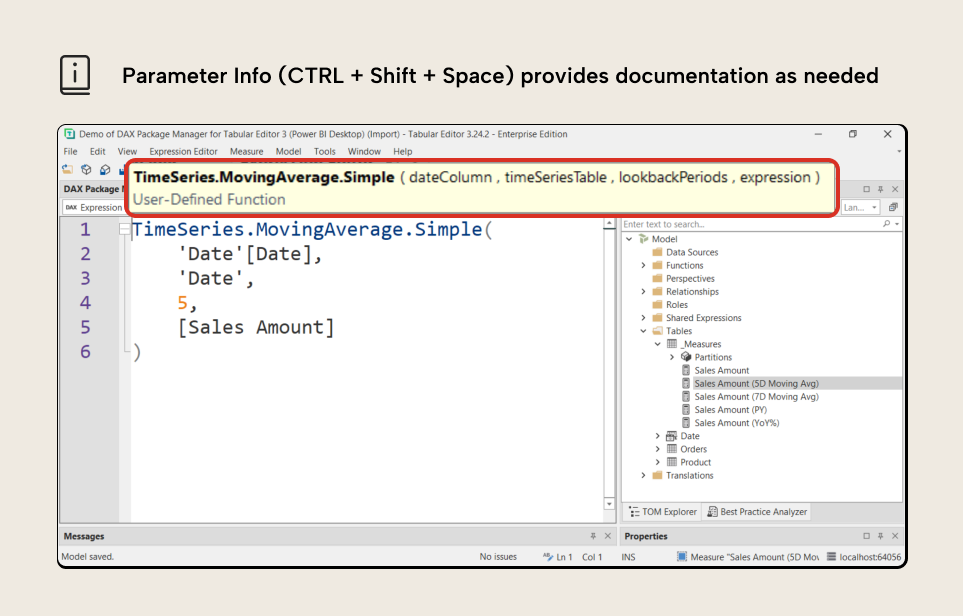
If we’re unsure of which argument goes where in the function, we can hit the Ctrl+Shift+Space shortcut to show the parameter info box that tells us what every parameter expects as argument.
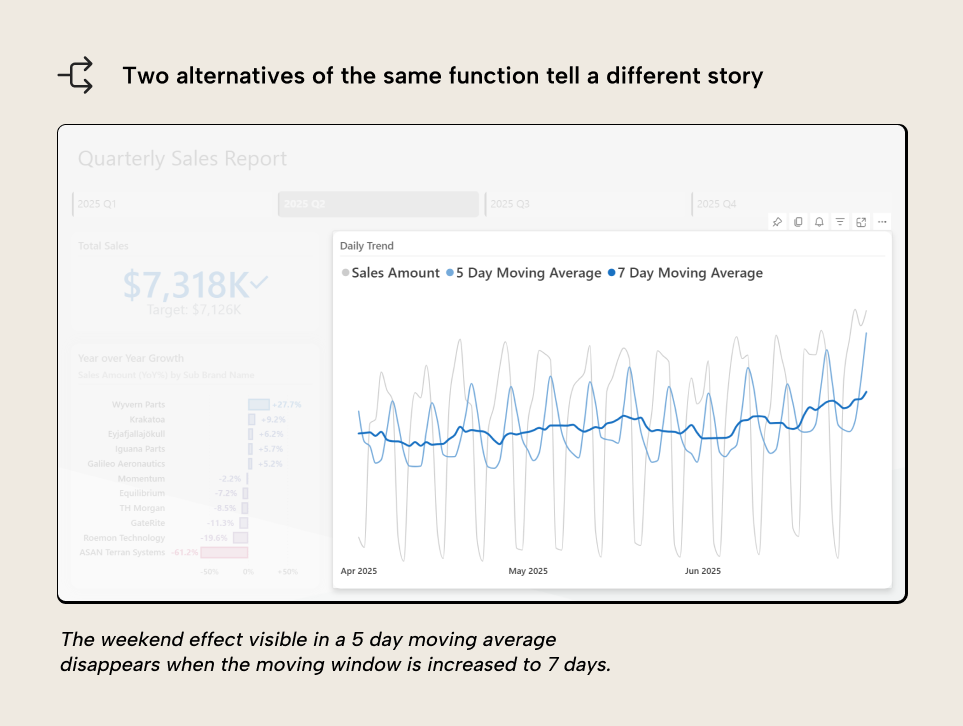
In this simple example, a moving average with a window looking back 5 days and one with a window looking back 7 days paint a different picture: the weekend dips in sales amounts are smoothed out in the latter alternative because weekends are always included in the calculation of the average.
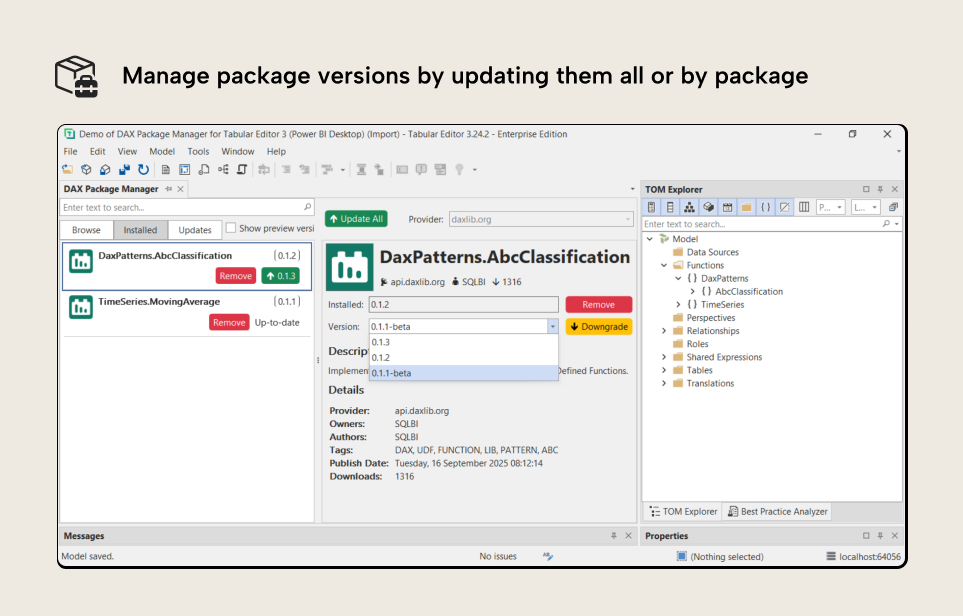
When packages get updated by the authors, we can choose to update them individually, all at once, or downgrade if we prefer the previous version of a package.
For further reading
- Introductory UDF primer (Tabular Editor). Explains what user-defined functions are, why they exist, and how they differ from regular measures.
- UDF workflow walkthrough (Tabular Editor). Shows the practical UDF workflow inside Tabular Editor 3, directly relevant to using the package manager in practice.
- Package library (DaxLib). The open community library of reusable DAX UDF packages that the package manager connects to for discovery and installation.
- Model format reference (Microsoft Learn). Describes the TMDL files used to store UDFs, including
functions.tmdlfor distributing DAX packages.
In conclusion
DAX User-Defined Functions bring us into an era where the logic encoded in DAX expressions becomes portable and more easily maintainable within and across organizations. Public libraries like DAX Lib help us simplify by making it easier to re-use patterns to address common DAX scenarios.
In Tabular Editor 3, the DAX Package Manager puts DAX Lib at our fingertips and will soon be able to do the same for private and organizational libraries. As its name suggests, the DAX Package Manager is the one-stop shop for managing packages and their versions.
Install reusable DAX packages directly inside Tabular Editor 3.
Give Tabular Editor a spin